Blood Pressure Monitor Buying Guide
Monitoring blood pressure at home has become essential for managing cardiovascular health, especially as we age. The American Heart Association strongly recommends regular home blood pressure monitoring for anyone with hypertension or cardiovascular concerns. For seniors, home monitoring provides insights that occasional doctor visits cannot capture.
Home blood pressure monitoring offers several advantages:
- Tracks readings throughout the day, revealing patterns and trends
- Identifies "white coat hypertension" (high readings only in medical settings)
- Helps evaluate medication effectiveness
- Provides data for better-informed medical decisions
- Encourages engagement in personal health management
However, choosing the right monitor can feel overwhelming. The market offers dozens of options with varying features, prices, and claims. This comprehensive buying guide breaks down everything you need to know to make an informed decision.
For specific product recommendations after reading this guide, see our detailed Best Blood Pressure Monitors for Seniors article.
Types of Blood Pressure Monitors
Understanding monitor types helps you choose what's right for your situation:
1. Upper Arm Monitors
Upper arm monitors remain the gold standard for home blood pressure measurement:
- Most accurate type of home monitor—recommended by healthcare professionals
- Cuff wraps around upper arm, positioned at heart level
- Available in automatic (digital) and manual versions
- Automatic models inflate and read automatically
- Best for most seniors and those needing reliable daily monitoring
Recommendation: Choose an automatic upper arm monitor for regular home use. This type provides the best combination of accuracy and ease of use.
2. Wrist Monitors
Wrist monitors offer portability but have limitations:
- More portable than upper arm monitors—compact and lightweight
- Cuff wraps around wrist rather than upper arm
- Less accurate for seniors due to positioning challenges
- Positioning at heart level critical for accuracy
- Best for travel or occasional use, not primary monitoring
Recommendation: Use wrist monitors as secondary devices for travel, not for daily primary monitoring. Learn more about the differences in our Upper Arm vs Wrist BP Monitor comparison.
3. Finger Monitors
Finger monitors are generally not recommended:
- Least accurate type of blood pressure device
- Blood pressure in fingers differs from core measurements
- Not recommended by healthcare professionals
- May be useful only for quick trend checks, not diagnosis
Recommendation: Avoid finger monitors for any serious health monitoring.
Key Features to Consider
Accuracy: The Most Critical Factor
Accuracy should be your primary consideration. An inaccurate monitor provides misleading information, potentially leading to poor health decisions.
Look for validated monitors:
- Monitors validated by European Society of Hypertension (ESH)
- Monitors validated by American Heart Association (AHA)
- Monitors validated by British Hypertension Society (BHS)
- Multiple validation seals indicate thorough testing
Avoid non-validated monitors:
- May give inaccurate readings
- Could provide falsely high or low numbers
- Not reliable for health decisions
According to research published in medical journals, validated monitors provide readings within 5 mmHg of professional equipment, while non-validated monitors may vary significantly more.
Ease of Use: Essential for Seniors
Seniors need monitors that operate simply and intuitively:
Large Display
- Large, backlit displays with clear numbers
- Easy-to-read even without perfect vision
- Shows systolic, diastolic, and pulse readings clearly
- Color-coded indicators help interpret results
Simple Controls
- Few buttons—one-touch operation ideal
- Intuitive design without complex menus
- Large buttons for those with limited dexterity
- Audio instructions available on some models
Error Indicators
- Alerts when cuff positioned incorrectly
- Movement detection warnings
- Irregular heartbeat alerts
- Clear error messages for troubleshooting
Cuff Size: Often Overlooked but Critical
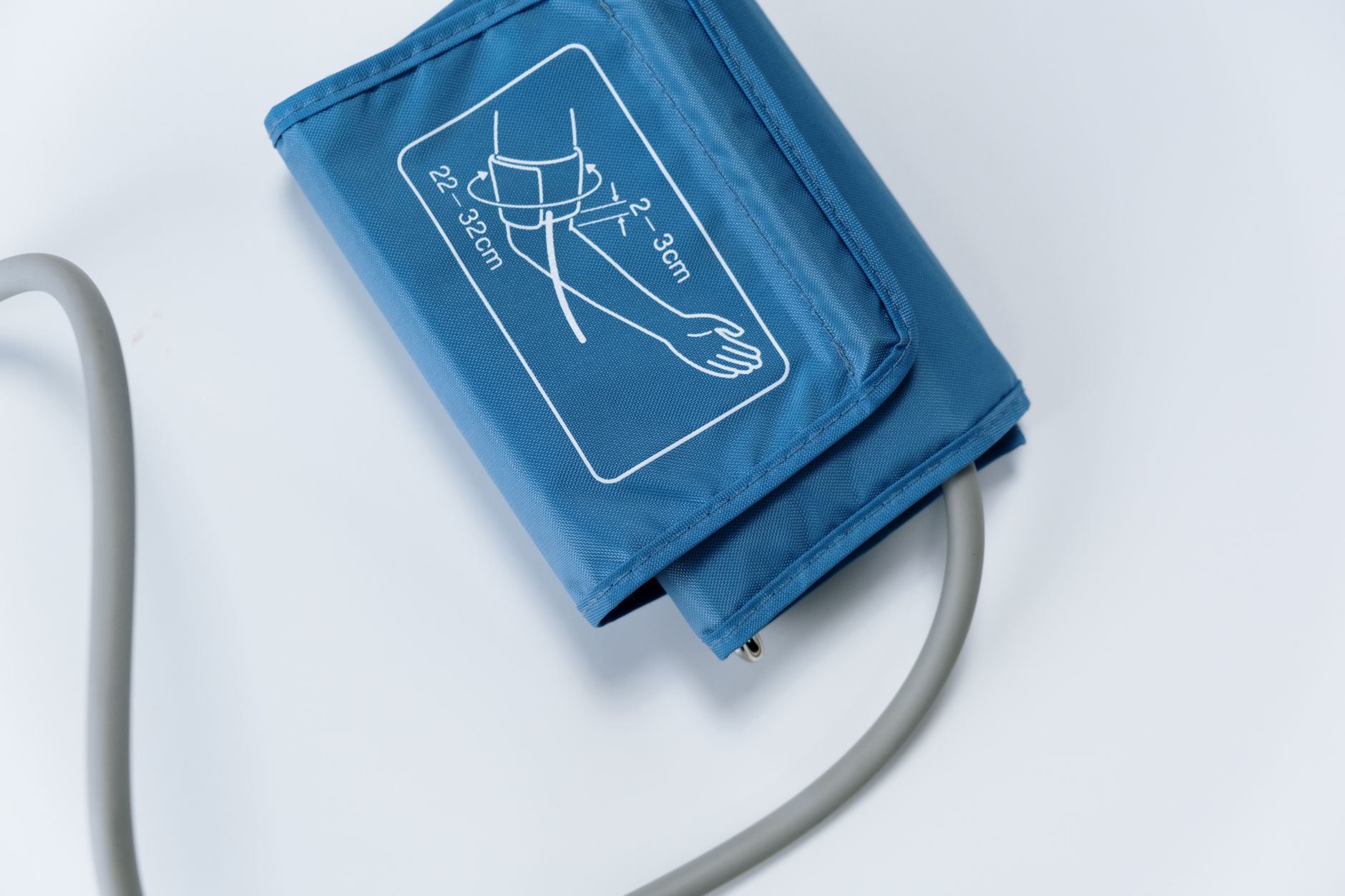
Proper cuff fit directly affects accuracy. Ill-fitting cuffs cause significant measurement errors.
Measure your arm circumference:
- Use a tape measure around your upper arm midpoint
- Standard cuffs fit arms 8-16 inches circumference
- Large cuffs fit arms 13-20 inches
- Extra-large cuffs fit arms 16-24 inches
Wrong size consequences:
- Too-small cuffs give falsely high readings
- Too-large cuffs give falsely low readings
- Both scenarios lead to incorrect health decisions
Many seniors don't realize they need larger cuffs. Measure before purchasing—don't assume standard size fits.
Memory Function: Tracking Trends Over Time
Memory functions help track blood pressure patterns:
Basic Memory Features
- Stores multiple readings (typically 30-200 readings)
- Date and time stamped for accurate records
- Multiple user profiles for couples or families
Advanced Memory Features
- Average reading calculations over weeks/months
- Bluetooth connectivity to smartphones
- Data transfer to computers for tracking
- Cloud storage for sharing with doctors
Memory helps identify trends, patterns, and changes over time—information valuable for both you and your doctor.
Additional Useful Features
Irregular Heartbeat Detection
- Alerts to potential arrhythmias
- Records irregular patterns
- Worth discussing with your doctor
Average Reading Calculation
- Calculates averages from multiple readings
- Shows trends over specific periods
- More representative than single readings
Multiple User Profiles
- Separate memory for different users
- Useful for couples monitoring together
- Individual tracking without confusion
Low Battery Indicator
- Alerts when batteries need replacement
- Prevents unexpected power loss
- Some models include AC adapters
Bluetooth/Smartphone Connectivity
- Syncs readings to apps automatically
- Easy sharing with healthcare providers
- Trend visualization and reminders
Battery Life and Power Options
Consider power requirements for convenience:
- Battery life typically 6-12 months with regular use
- Some monitors include AC adapters for home use
- Rechargeable battery options available on some models
- Keep spare batteries available
Price Range and What You Get
Understanding pricing helps set expectations:
| Price Range | Features | Best For |
|---|---|---|
| Under $50 | Basic features, manual or simple automatic, limited memory | Occasional monitoring, budget-conscious users |
| $50-$100 | Automatic operation, validated accuracy, memory storage, basic features | Daily home monitoring, most seniors |
| $100-$150 | Advanced features, Bluetooth connectivity, multiple user profiles, large memory | Frequent monitoring, tech-savvy users |
| Over $150 | Hospital-grade accuracy, comprehensive features, extensive tracking | Medical needs, detailed monitoring |
Recommendation: Most seniors find monitors in the $50-$100 range meet their needs well. Higher-priced models add convenience features but don't necessarily improve accuracy if you choose a validated model.
For comprehensive health monitoring beyond blood pressure, see our guide to Vitamins and Supplements for Seniors.
Questions to Ask Before Buying
Consider these questions when shopping:
Top Brands to Consider
Omron
- Most popular brand in home monitoring
- Wide range of models from basic to advanced
- Excellent accuracy ratings across lineup
- Many models validated by ESH and AHA
- Strong customer support and warranty
- Bluetooth connectivity on advanced models
Omron is the market leader, offering reliable options across price ranges. Their 10 Series and Silver models are particularly popular for seniors.
A&D Medical
- Known for clinical-grade accuracy
- Wide range of cuff sizes available
- Validated by major hypertension organizations
- Reliable performance and durability
- Good value for quality features
- Lifetime warranty on some models
A&D Medical provides excellent accuracy and value, particularly for those needing larger cuff sizes.
Greater Goods
- Affordable options without sacrificing quality
- Simple, easy-to-use designs ideal for seniors
- Good accuracy for the price
- Two-year warranties standard
- AC adapters included with many models
- Excellent customer service reputation
Greater Goods offers solid value for budget-conscious seniors who still want validated accuracy.
Beurer
- Smart features and Bluetooth connectivity
- Sleek, modern designs
- Free smartphone apps for tracking
- Validated accuracy on major models
- European quality standards
- Competitive pricing for features
Beurer appeals to tech-savvy seniors who want smartphone integration and modern features.
Welch Allyn
- Hospital-grade accuracy
- Professional-level features
- More expensive but clinical quality
- Trusted by medical professionals
- Durable construction
- Best for those needing medical-grade monitoring
Welch Allyn offers professional-grade monitors for those with serious medical monitoring needs.
Where to Buy
Online Retailers
- Amazon, Walmart, Best Buy: Wide selections, competitive prices, user reviews
- Manufacturer websites: Direct purchase, full warranty
- Specialty medical supply sites: Expert advice, medical-grade options
Pharmacies
- CVS, Walgreens, Rite Aid: Convenient access, pharmacist advice, immediate availability
- Limited selection compared to online
- May have higher prices
Medical Supply Stores
- Local stores offer personalized advice
- Can demonstrate monitor operation
- May help with proper cuff sizing
- Limited selection in some areas
Recommendation: Compare prices across sources. Online retailers typically offer widest selection and best prices. Pharmacies provide convenience and immediate availability. Always check return policies and warranties.
Using Your Monitor Correctly
Proper technique affects reading accuracy as much as monitor quality:
1. Prepare Before Measuring
- Avoid caffeine, nicotine, and exercise for 30 minutes before
- Empty your bladder—a full bladder can affect readings
- Sit quietly for 5 minutes before measuring
- Avoid measuring during stress or anxiety
2. Position Correctly
- Sit with back supported against chair
- Keep feet flat on floor—don't cross legs
- Support arm at heart level on table or armrest
- Place cuff on bare skin, not over clothing
- Position cuff 1 inch above elbow
3. Take Multiple Readings
- Take 2-3 readings, waiting 1-2 minutes between
- Average the readings for more accurate result
- Discard first reading if significantly higher
- Take readings at consistent times daily
4. Track and Share Results
- Record readings in monitor memory, notebook, or app
- Note relevant factors: medication changes, stress, sleep
- Bring records to medical appointments
- Share comprehensive data with your doctor
For more tips on accurate readings, see our detailed guide to Best Blood Pressure Monitors for Seniors.
Common Buying Mistakes to Avoid
Mistake 1: Choosing Price Over Accuracy The cheapest monitor may save money but cost health through inaccurate readings. Prioritize validated accuracy over lowest price.
Mistake 2: Ignoring Cuff Size Standard cuffs don't fit everyone. Many seniors need larger cuffs. Measure your arm before purchasing.
Mistake 3: Overlooking Ease of Use Complex monitors frustrate seniors. Choose simplicity—large displays, few buttons, intuitive operation.
Mistake 4: Skipping Memory Features Tracking trends over time matters for health management. Memory functions are valuable, not optional extras.
Mistake 5: Buying Wrist Monitors for Primary Use Wrist monitors are less accurate and harder to position correctly. Use upper arm monitors for daily monitoring.
Mistake 6: Not Checking Battery Life Frequent battery changes frustrate users. Look for monitors with long battery life or AC adapter options.
FAQ: Buying a Blood Pressure Monitor
Q: Is a wrist monitor as accurate as an upper arm monitor? A: Generally, no. Upper arm monitors are more accurate and are recommended by the American Heart Association for most people. Wrist monitors can be accurate if positioned precisely at heart level, but this positioning is difficult, especially for seniors. For primary daily monitoring, choose an upper arm model.
Q: How often should I replace my monitor? A: Most quality monitors last 2-5 years with regular use. Replace if accuracy seems compromised (readings inconsistent or different from doctor's readings), parts break or malfunction, or the manufacturer no longer supports it. Some monitors allow accuracy checks against professional equipment at doctor offices.
Q: Can I use my monitor with a pacemaker? A: Most digital blood pressure monitors are safe for pacemaker users. They don't emit electromagnetic interference that affects pacemakers. However, check with your cardiologist first, especially with older pacemaker models. Bring your monitor to a checkup for confirmation.
Q: Should I buy a manual or automatic monitor? A: Automatic (digital) monitors are strongly recommended for seniors. They provide consistent readings, don't require training to use properly, and are much easier to operate. Manual monitors require skill and practice for accurate readings, making them impractical for most home users.
Q: What's the best brand for seniors? A: Omron is the most popular and highly rated brand for home use, with excellent options across price ranges. A&D Medical offers clinical-grade accuracy. Greater Goods provides good value. Choose based on validated accuracy, ease of use, and features that match your needs—not just brand name.
Q: Can insurance cover the cost? A: Some insurance plans cover blood pressure monitors, especially for diagnosed hypertension. Medicare may cover monitors as durable medical equipment with proper documentation. Check with your insurance provider about coverage requirements and approved models.
Q: How many readings should the memory store? A: More memory isn't necessarily better. 30-60 readings provide adequate tracking for most users. Higher-capacity memory (100-200 readings) benefits those who want extended tracking without frequent downloading. Multiple user profiles matter more if couples share a monitor.
Q: Do I need Bluetooth/smartphone connectivity? A: Not necessarily—it's convenient but not essential. Bluetooth connectivity simplifies tracking and sharing with doctors, but traditional memory storage and manual recording work well too. Tech-savvy users appreciate connectivity; others may find it unnecessary complexity.
Related Articles
- Best Blood Pressure Monitors for Seniors
- Upper Arm vs Wrist BP Monitor
- Best Medical Alert Systems for Seniors Living Alone
- Best Foods for Elderly Digestion
- Healthy Diet for Seniors
- Vitamins and Supplements for Seniors
References
- American Heart Association: Home Blood Pressure Monitoring
- National Institute on Aging: Heart Health and Blood Pressure
- CDC: High Blood Pressure Information
- Mayo Clinic: Choosing a Blood Pressure Monitor
- American College of Cardiology: Blood Pressure Guidelines
- European Society of Hypertension: Device Validation