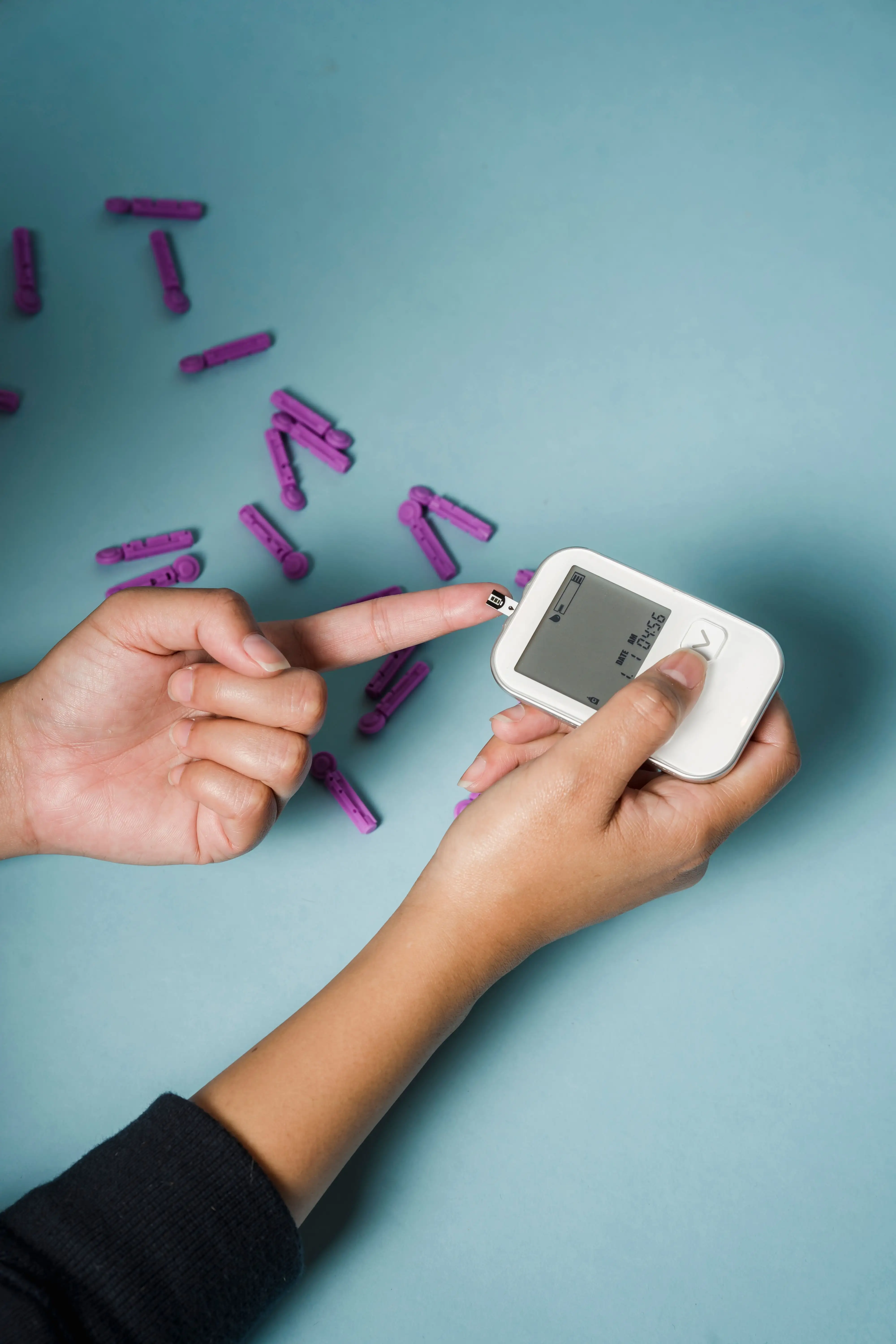
A finger-stick test calls for steady fingers, a strip smaller than a paper clip, good enough vision to read a one-inch display, and the coordination to uncap a lancet — all of which get harder as arthritis, cataracts, memory changes, and longer medication lists enter the picture.
Today's glucose monitors offer more choices than ever, from a plain finger-stick blood glucose meter to a continuous glucose monitor (CGM) that tracks glucose all day and alerts you when levels run too high or too low.
The deciding factor is rarely the feature count. It is whether the senior can use the device safely and consistently, day after day.
Below, we compare 5 glucose monitoring options for seniors in 2026 on ease of use, readability, alerts, connectivity, comfort, and caregiver support.
Important: This article is for educational purposes and does not recommend changing diabetes medication or treatment based on a device reading without guidance from a healthcare professional.
Quick Answer: What Is the Best Glucose Monitor for Seniors?
There is no single best glucose monitor for every older adult.
For seniors who want a traditional finger-stick meter, the CONTOUR NEXT ONE and Accu-Chek Guide Me are two options worth considering.
For seniors who need continuous information or are at higher risk of hypoglycemia, a CGM such as Dexcom G7 or FreeStyle Libre 3 Plus may be more useful.
| Glucose Monitor | Type | Best For | Key Senior-Friendly Feature |
|---|---|---|---|
| CONTOUR NEXT ONE | Blood glucose meter | Simple daily testing | Color-coded results and second-chance sampling |
| Accu-Chek Guide Me | Blood glucose meter | Simple testing + app connectivity | Easy-fill strips and easy-to-read display |
| Dexcom G7 | CGM | Continuous monitoring and alerts | Real-time readings and predictive low alert |
| FreeStyle Libre 3 Plus | CGM | Long sensor wear and simple tracking | Automatic readings and customizable alerts |
| A traditional FDA-approved BGM | Blood glucose meter | Seniors who want simplicity | No sensor or smartphone required |
The best device should match the senior's health needs, vision, hand function, comfort with technology, and diabetes treatment plan.
Blood Glucose Meter vs. CGM: What's the Difference?
Before choosing a product, it helps to understand the two main types of glucose monitors.
Traditional Blood Glucose Meter
A blood glucose meter requires a small blood sample, usually from a fingertip.
The basic process is:
- Insert a test strip.
- Use a lancet to obtain a small blood drop.
- Apply the blood to the strip.
- Read the glucose result.
The approach is inexpensive and straightforward, and it fits seniors who check at fixed times — a fasting reading first thing in the morning, for example, or before bed.
Continuous Glucose Monitor
A CGM uses a small sensor placed on the body to measure glucose continuously.
Instead of checking only one moment at a time, a CGM can show:
- Current glucose
- Glucose trends
- Whether glucose is rising or falling
- High glucose alerts
- Low glucose alerts
- Longer-term glucose patterns
The American Diabetes Association's 2026 Standards of Care recommend CGM for older adults with type 1 diabetes and for older adults with type 2 diabetes who use insulin, with the goal of improving glucose outcomes and reducing hypoglycemia.
CGM can also be useful for some older adults with physical or cognitive limitations, particularly when a caregiver helps monitor glucose information.
5 Best Glucose Monitors for Seniors in 2026
1. CONTOUR NEXT ONE — Best Traditional Glucose Meter for Seniors
Best for: Seniors who want a simple finger-stick meter with helpful feedback and optional smartphone connectivity.
The CONTOUR NEXT ONE is a traditional finger-stick meter with two details that suit older users. Its smartLIGHT system turns the port a color for every result — green within target, amber above, red below, per Ascensia — so the range is readable at a glance without squinting at the number. Its Second-Chance Sampling lets you add more blood to the same strip if the first drop came up short, instead of wasting a strip and starting over. Bluetooth also sends readings to the CONTOUR DIABETES app on a compatible smartphone.
Why seniors may like it
- Simple finger-stick testing
- Color-coded result indicator
- No manual coding
- Second-chance sampling
- Bluetooth connectivity
- Data can be reviewed in an app
Potential downside
It still requires finger-stick testing, so anyone who needs frequent readings or struggles physically with lancets and strips may be happier with a CGM. It remains a strong pick for seniors who want a traditional meter without giving up connected features.
2. Accu-Chek Guide Me — Best Simple Meter With App Connectivity
Best for: Seniors who want a straightforward blood glucose meter with an easy-to-read display and Bluetooth connectivity.
The Accu-Chek Guide Me is designed around a relatively simple testing process.
According to the manufacturer, the meter uses an easy-fill test strip, provides results in less than four seconds, and has an easy-to-read screen. It can also connect to the mySugr app through Bluetooth.
The meter stores up to 720 diary records, which can be helpful when a senior wants to review previous readings or bring a history to a medical appointment.
Why seniors may like it
- Easy-fill test strips
- Easy-to-read screen
- Fast results
- Bluetooth connectivity
- Large amount of stored test history
- Straightforward operation
Potential downside
It still requires finger-stick testing and a steady supply of compatible strips and lancets, and seniors with arthritis or weak hands may still find the small strips fiddly.
Our take
A good option when simplicity and smartphone connectivity are both important.
3. Dexcom G7 — Best CGM for Real-Time Alerts
Best for: Seniors who need continuous glucose monitoring and may benefit from alerts for high or low glucose.
The Dexcom G7 replaces the finger stick with a sensor worn on the body that tracks glucose around the clock. Its strongest selling point for seniors is the alert system: customizable high and low alarms, plus an Urgent Low Soon alert designed to warn of a potentially dangerous low up to 20 minutes before it arrives.
Dexcom also provides trend information and longer-term reports through its app, including time-in-range and glucose trends.
The standard Dexcom G7 sensor is designed for up to 10.5 days of wear according to Dexcom's current product information.
Why seniors may like it
- Continuous glucose information
- High and low alerts
- Predictive low alert
- Glucose trend arrows
- Smartphone app
- Data sharing options
- Less reliance on repeated finger sticks
Potential downside
A CGM is more complicated than a basic blood glucose meter.
The senior needs to be comfortable wearing a sensor and using a compatible phone or receiver.
Smartphone settings can also affect whether notifications and alerts work correctly, so setup should be done carefully.
Our take
One of the strongest choices for seniors who need active glucose monitoring and low-glucose alerts.
4. FreeStyle Libre 3 Plus — Best CGM for Longer Sensor Wear
Best for: Seniors who want continuous glucose information with a longer sensor wear period.
The FreeStyle Libre 3 Plus is a real-time CGM that can automatically send glucose readings to a compatible smartphone.
Abbott states that the Libre 3 Plus sensor can be worn for up to 15 days and sends glucose readings automatically without requiring the user to scan the sensor.
The system also offers customizable high and low glucose alarms.
For seniors, this can be useful because the device can provide an alert rather than requiring them to remember to check their glucose manually.
The Libre system also supports data sharing with healthcare professionals and caregivers through compatible services.
Why seniors may like it
- Up to 15 days of sensor wear
- Automatic glucose readings
- No routine scanning required
- Customizable alerts
- Smartphone support
- Data-sharing options
- Trend information
Potential downside
The senior needs a compatible smartphone or other supported reading method.
There is also a learning curve when first applying and using the sensor.
Abbott notes that app compatibility depends on the specific smartphone and operating system.
Our take
A particularly appealing choice for seniors who want continuous monitoring but prefer a longer sensor wear period.
5. A Simple FDA-Approved Blood Glucose Meter — Best for Seniors Who Want Less Technology
Best for: Seniors who prefer a basic device and do not want to rely on a smartphone.
Not every senior needs a CGM or Bluetooth-connected meter.
For someone who only needs occasional blood glucose testing, a simple FDA-approved blood glucose meter may be the better choice.
The American Diabetes Association recommends using glucose meters approved by the FDA or a comparable regulatory agency and using unexpired test strips that have been stored properly.
When shopping for a simple meter, look for:
- Large numbers
- Easy-to-read display
- Few buttons
- Simple instructions
- Easy-to-handle strips
- Clear error messages
- Affordable replacement strips
The most important feature is not the number of buttons or smart features.
It is whether the senior can use the meter correctly every time.
How We Chose the Best Glucose Monitors for Seniors
A glucose monitor for an older adult should be judged by different standards than a device chosen by a tech enthusiast.
1. Ease of Use
A device that is hard to operate ends up in a drawer, so we favored workflows with the fewest steps.
2. Readability
A large, clear display can make a significant difference for someone with declining vision.
Look for:
- Large numbers
- High contrast
- Simple screens
- Clear alerts
3. Hand Dexterity
Arthritis and reduced hand strength turn tiny strips and small buttons into a daily obstacle, so we looked for larger, easier-to-grip components.
4. Alerts
Alerts are especially important for people who are at risk of hypoglycemia.
CGMs can provide warnings without requiring the user to remember to perform a finger-stick test.
5. Caregiver Support
Some seniors manage diabetes completely independently.
Others rely on a spouse, adult child, home caregiver, or other support person.
Connected devices can make it easier to share glucose information when the system supports that function.
6. Accuracy
Accuracy matters because glucose readings can influence treatment decisions.
The ADA recommends using approved meters and properly stored, unexpired test strips.
However, no glucose monitor should be treated as infallible.
If a reading does not match how you feel, follow the device instructions and your healthcare professional's guidance regarding confirmation.
Best Glucose Monitor for Seniors With Poor Eyesight
If the senior cannot read the result reliably, nothing else about the meter matters.
A senior with mild vision changes may do well with a meter that has:
- Large numbers
- Backlighting
- High contrast
- Simple menus
- Easy-to-read test results
For significant vision loss, consider whether the senior needs:
- A talking glucose meter
- Voice prompts
- Caregiver assistance
- A CGM with audible alerts
Do not choose a device simply because the manufacturer says it is "easy."
The senior should actually be able to see and operate it safely.
Best Glucose Monitor for Seniors With Arthritis
Arthritis can make finger-stick testing frustrating.
Small test strips, lancets, bottle caps, and buttons may all be difficult to handle.
Look for:
- Larger test strips
- Easy-to-insert strips
- Simple buttons
- Minimal setup
- A lancing device that is comfortable to operate
The CONTOUR NEXT ONE's Second-Chance Sampling can be useful because an insufficient first blood sample does not necessarily require throwing away the strip and starting again.
A CGM may also reduce the number of routine finger-stick tests, but applying and replacing sensors still requires some hand dexterity.
Best Glucose Monitor for Seniors Living Alone
For seniors living alone, an undetected low is the most dangerous failure mode — and the one a CGM addresses most directly, sounding an alarm the moment glucose crosses a chosen threshold.
Some systems can also share information with caregivers.
Dexcom G7, for example, supports sharing glucose information with followers through compatible Dexcom services.
FreeStyle Libre also provides compatible data-sharing options for loved ones and healthcare teams.
However, remote monitoring should not replace an emergency plan.
The senior and caregiver should know what to do if a low-glucose alert occurs.
Best Glucose Monitor for Seniors Who Use Insulin
This is where CGM becomes particularly important.
The ADA's 2026 Standards of Care recommend CGM for older adults with type 1 diabetes and older adults with type 2 diabetes who use insulin.
CGM can provide information that a traditional meter cannot easily provide:
- Current glucose
- Direction of change
- Overnight trends
- High glucose alerts
- Low glucose alerts
- Time in range
This can be particularly helpful for identifying hypoglycemia.
Older adults are at increased risk of hypoglycemia, especially when certain glucose-lowering medications or insulin are involved.
The specific CGM should still be chosen with the person's healthcare team.
CGM vs. Blood Glucose Meter for Seniors
| Feature | Blood Glucose Meter | CGM |
|---|---|---|
| Finger stick | Usually required | Usually not for routine readings |
| Continuous data | No | Yes |
| High/low alerts | Usually no | Yes, depending on device |
| Trend arrows | Usually no | Yes |
| Smartphone needed | Not always | Often |
| Sensor worn on body | No | Yes |
| Cost | Usually lower | Usually higher |
| Learning curve | Usually lower | Usually higher |
| Caregiver sharing | Some connected meters | Common with compatible systems |
| Best for | Simple spot checks | Continuous monitoring |
Neither option is automatically better.
The right choice depends on the senior's treatment plan and ability to use the technology.
What Should Seniors Look for When Buying a Glucose Monitor?
Before buying a device, ask these questions.
Can I read the screen easily?
If the numbers are too small, the meter is not a good choice.
Can I handle the test strips?
This is especially important for seniors with arthritis.
How many steps are required?
Fewer steps generally mean fewer opportunities for mistakes.
Do I need a smartphone?
If the device requires an app, make sure the senior has a compatible phone and is comfortable using it.
Can a caregiver see the readings?
This can be helpful for seniors who need support.
How much do replacement supplies cost?
The meter itself may be inexpensive while test strips or sensors cost much more over time.
Does my insurance cover it?
Coverage varies significantly by country, insurance plan, diabetes treatment, and device.
Does my healthcare professional recommend it?
This should be particularly important when choosing a CGM or when glucose readings are being used to guide insulin treatment.
How to Make Glucose Monitoring Easier for Seniors
Even the best device can become frustrating if the daily routine is complicated.
Try these practical strategies.
Keep Everything Together
Store the meter, strips, lancets, and supplies in one easy-to-reach location.
Use a Consistent Routine
Testing at the times recommended by the healthcare team can make monitoring easier to remember.
Write Down Questions
If a glucose reading seems unusual, record it rather than changing medication on your own.
Bring the information to the next medical appointment.
Let a Caregiver Help With Technology
The ADA notes that older adults may take longer to learn new diabetes technology and that caregiver involvement can be useful.
A caregiver can help with:
- Initial setup
- App installation
- Sensor replacement
- Reviewing reports
- Troubleshooting alerts
Keep Supplies Organized
Make sure there are enough test strips, lancets, sensors, batteries, or other required supplies.
Running out of supplies can interrupt glucose monitoring.
What If the Glucose Reading Does Not Match How You Feel?
Do not automatically assume the device is wrong.
But do not ignore significant symptoms either.
The ADA recommends that people using CGM still have access to blood glucose monitoring.
For example, if a CGM reading seems inconsistent with symptoms or expectations, follow the device's instructions about confirmation.
Dexcom specifically notes that fingersticks may be required for treatment decisions when symptoms or expectations do not match the CGM reading.
If you repeatedly see unexpected readings, discuss the pattern with your healthcare professional.
Are Glucose Monitors Safe for Seniors?
Glucose monitors are generally safe when used according to their instructions.
However, the device itself is only one part of safe diabetes management.
A senior should understand:
- What their target range is
- When they should test
- What low blood sugar means
- What high blood sugar means
- When to contact their healthcare team
- What to do during an emergency
CGM alerts can help identify glucose changes, but they do not replace a diabetes management plan.
When Should a Senior Consider a CGM?
A CGM may be worth discussing with a healthcare professional when:
- The senior uses insulin
- Low blood sugar is a concern
- Overnight glucose changes are difficult to detect
- Finger-stick testing is difficult
- The senior has difficulty recognizing hypoglycemia
- A caregiver needs to help monitor glucose
- The healthcare team wants more information about glucose patterns
The ADA's 2026 guidance specifically supports CGM for older adults with type 1 diabetes and for older adults with type 2 diabetes using insulin.
When Is a Traditional Glucose Meter Better?
A traditional meter may be a better fit when:
- Testing is only needed occasionally
- The senior does not want to wear a sensor
- Smartphone technology feels overwhelming
- Cost is a major concern
- The senior prefers a simple routine
- The healthcare team does not believe continuous monitoring is necessary
Sometimes the simplest device is the best one: the goal is safe, consistent monitoring, not the most advanced technology.
Frequently Asked Questions
What is the best glucose monitor for seniors?
There is no single best device for every senior.
For traditional blood glucose meters, CONTOUR NEXT ONE and Accu-Chek Guide Me are options worth considering for their relatively simple workflows and connected features. For continuous monitoring, Dexcom G7 and FreeStyle Libre 3 Plus offer real-time glucose information and alerts.
The best choice depends on vision, dexterity, cognitive ability, treatment, budget, and caregiver support.
Are continuous glucose monitors better for seniors than finger-stick meters?
Not automatically.
CGMs provide continuous information and alerts, which can be valuable for seniors at risk of hypoglycemia.
However, a traditional blood glucose meter can be simpler and less expensive for someone who only needs occasional testing.
What should seniors look for in a glucose meter?
Focus on:
- Readable numbers
- Simple controls
- Easy-to-handle strips
- Reliable accuracy
- Clear instructions
- Affordable replacement supplies
- Optional Bluetooth connectivity if useful
The ADA recommends using approved glucose meters and properly stored, unexpired test strips.
Can a caregiver monitor a senior's blood sugar remotely?
Yes, some connected meters and CGM systems support data sharing.
Dexcom and FreeStyle Libre both provide sharing options through compatible apps and services.
The exact functionality depends on the device, smartphone, account setup, and location.
Is a CGM easier than finger-stick testing?
For some seniors, yes.
A CGM can reduce the need for repeated finger sticks and can provide automatic alerts.
For others, applying a sensor and managing an app may be more complicated than using a simple meter.
Do seniors still need a blood glucose meter with a CGM?
They should have access to blood glucose monitoring.
The ADA recommends that people using CGM also have access to BGM.
A finger-stick test may also be useful when the CGM reading does not match symptoms or when the device instructions recommend confirmation.
What is the easiest glucose meter for seniors with poor eyesight?
Look for a meter with large, high-contrast numbers and simple controls.
A talking meter may be appropriate for someone with significant vision loss.
For some seniors, caregiver-assisted testing may be the safest approach.
How accurate should a glucose meter be?
Accuracy is important because glucose results can influence diabetes management.
The ADA recommends FDA-approved or comparably authorized meters and properly stored, unexpired test strips.
No meter should be treated as perfectly accurate under every condition.
Can a senior use a CGM if they have memory problems?
Possibly, but the decision should include the senior's healthcare team and caregiver.
The ADA specifically recommends considering cognitive and functional ability when selecting diabetes technology and notes that caregiver support can be helpful for older adults learning to use CGM.
What is the best glucose monitor for a senior living alone?
A CGM with reliable low-glucose alerts may be worth discussing with a healthcare professional, especially when hypoglycemia is a concern.
The most important factor is having a clear plan for responding to alerts.
The Bottom Line
The best glucose monitor for a senior is not necessarily the most advanced one.
For simple finger-stick testing, CONTOUR NEXT ONE and Accu-Chek Guide Me are useful options to consider.
For seniors who need continuous monitoring, trend information, and alerts, Dexcom G7 and FreeStyle Libre 3 Plus offer more advanced capabilities.
The most important factors are ease of use, readability, accuracy, comfort, cost, treatment needs, and caregiver support.
For older adults using insulin, CGM deserves particular consideration. The 2026 American Diabetes Association Standards of Care recommend CGM for older adults with type 1 diabetes and older adults with type 2 diabetes who use insulin.
Before purchasing, talk with the senior's healthcare professional about which type of monitoring fits the treatment plan.
Related Articles
- Atrial Fibrillation (AFib) in Seniors
- Best Blood Pressure Monitors for Seniors (2026 Reviews)
- Best Glucose Monitors for Seniors (2026 Reviews)
- Senior Nutrition Handbook: Protein, Hydration, and Meal Planning
- Complete Walking Guide for Older Adults: Low-Impact Cardio
- How to Help Aging Parents: Practical Caregiving Framework