📌Key Takeaways
- Medical alert systems provide 24/7 access to emergency help
- Choose between in-home, mobile, and wearable options
- Look for fall detection, GPS tracking, and two-way communication
- Monthly costs typically range from $20-$50
- Consider your lifestyle and mobility needs when choosing a system
The Life-Changing Power of Medical Alert Systems
Let me tell you about Arthur, an 83-year-old who credits his medical alert system with saving his life. "I was in the kitchen making coffee when I slipped on a wet floor," Arthur recalled. "I fell hard and couldn't get up. I pressed my pendant, and within minutes, an operator was on the line. They called an ambulance, and my daughter was notified. I don't know what would have happened if I didn't have that system."
Arthur's story is not uncommon. According to the Centers for Disease Control and Prevention, one in four seniors falls each year, and falls are the leading cause of injury and death among older adults. Medical alert systems provide a lifeline when accidents happen.
Medical Alert System Statistics
Studies show that medical alert systems reduce emergency response time by up to 50%. They also help seniors stay independent at home longer, reducing the need for assisted living.
What is a Medical Alert System?
How They Work
A medical alert system is a device that connects seniors to emergency help at the push of a button. Most systems include:
- Wearable device: A pendant, wristband, or smartwatch that the senior wears at all times
- Base unit: A home device that connects the wearable to the monitoring center
- 24/7 monitoring center: Trained operators who respond to calls for help
- Emergency contacts: Family members or caregivers who are notified when an alert is triggered
When you press the button:
- The wearable device sends a signal to the base unit (or directly to the monitoring center for mobile systems)
- A trained operator answers the call through two-way communication
- The operator assesses the situation and can:
- Call emergency services (ambulance, fire, police)
- Notify family members or caregivers
- Stay on the line until help arrives
Arthur's Experience: "When I pressed the button, a friendly voice came through saying, 'Mr. Johnson, we've received your alert. Can you tell us what happened?' I told them I fell and couldn't get up. They stayed on the line with me until the ambulance arrived. It was so reassuring."
Types of Medical Alert Systems
1. In-Home Systems
What they are:
- Traditional systems with a base unit that connects to your home phone line or internet
- Wearable devices communicate with the base unit
- Limited to use within the home
Best for:
- Seniors who spend most of their time at home
- Those who want a simple, reliable system
- Seniors on a budget
Features:
- Base unit with two-way communication
- Wearable pendant or wristband
- Range of up to 1,000 feet from the base unit
- Some include fall detection
Arthur's First System: "I started with an in-home system. It worked great, but I felt confined to the house. When I wanted to go for walks in the park, I couldn't take it with me."
2. Mobile Medical Alert Systems
What they are:
- Wireless systems that work anywhere with cellular coverage
- No base unit required
- Use GPS to track your location
Best for:
- Active seniors who go out regularly
- Seniors who travel
- Those with dementia who may wander
Features:
- Cellular connectivity
- GPS tracking
- Two-way communication
- Fall detection available
- Works anywhere in the US (and sometimes internationally)
Arthur's Upgrade: "When my daughter suggested a mobile system, I was hesitant at first. But now I can go for walks, run errands, and visit friends without worrying. The GPS means they can find me wherever I am."
3. Wearable Devices
What they are:
- Devices worn on the body (pendant, wristband, smartwatch)
- Can be standalone or paired with a base unit
- Some include fitness tracking features
Types:
- Pendants: Worn around the neck, easy to reach in emergencies
- Wristbands: Worn like a watch, good for those who lose necklaces
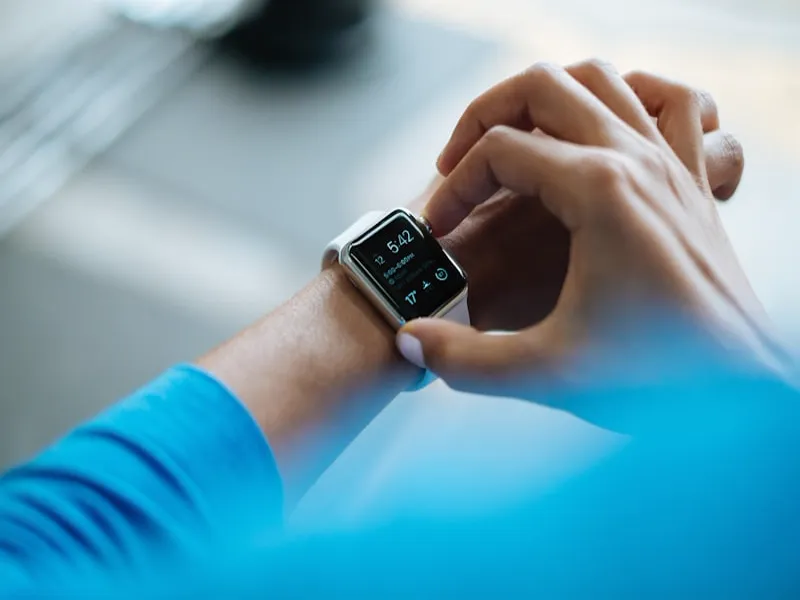
- Smartwatches: Combine medical alert with fitness tracking
- Belt clips: Attached to clothing for discreet wear
Features to look for:
- Waterproof (for shower use)
- Long battery life
- Comfortable design
- Easy-to-press button
Arthur's Choice: "I wear a pendant around my neck. It's lightweight and comfortable. I forget it's even there until I need it."
4. Fall Detection Systems
What they are:
- Systems that automatically detect falls and call for help
- Use sensors to detect sudden changes in movement
- Can be standalone or part of a medical alert system
Best for:
- Seniors at high risk of falling
- Those with balance issues
- Caregivers who want extra peace of mind
How they work:
- Sensors detect sudden falls (acceleration, impact)
- If a fall is detected, the system automatically sends an alert
- The monitoring center calls to check on the senior
- If there's no response, emergency services are dispatched
Important:
- Fall detection isn't perfect—some falls may not be detected
- Always press the button if you can
- Some systems allow you to cancel false alerts
Medical Alert System Types
Choose based on your lifestyle and needs
- •In-home systems: Best for seniors who stay at home
- •Mobile systems: Best for active seniors who go out
- •Wearable devices: Pendants, wristbands, and smartwatches
- •Fall detection: Automatic alerts for falls
Key Features to Consider
1. Fall Detection
What it does:
- Automatically detects falls and sends an alert
- Uses accelerometers and gyroscopes to detect sudden movement
Why it matters:
- Seniors may be unable to reach the button after a fall
- Reduces response time in emergencies
- Provides peace of mind for caregivers
Arthur's Story: "The fall detection feature gave my daughter peace of mind. She knew if I fell and couldn't press the button, help would still come. That meant a lot to both of us."
2. GPS Tracking
What it does:
- Tracks your location using satellite technology
- Helps emergency services find you quickly
- Can notify caregivers of your location
Why it matters:
- Useful for seniors who wander (dementia)
- Helps find seniors who fall outside
- Provides peace of mind for family members
3. Two-Way Communication
What it does:
- Allows you to talk directly to a monitoring center operator
- No need for a separate phone
- Operators can assess your situation and provide reassurance
Why it matters:
- Quick access to help
- Operators can stay on the line until help arrives
- Reassuring to hear a human voice in an emergency
4. Battery Life
What to look for:
- At least 24 hours of battery life
- Longer battery for mobile systems
- Low-battery alerts
- Rechargeable batteries
Why it matters:
- You don't want the device to die when you need it most
- Longer battery means less frequent charging
- Low-battery alerts remind you to recharge
5. Range (for in-home systems)
What it is:
- How far you can be from the base unit and still be connected
- Typically 500-1,000 feet
Why it matters:
- Important for larger homes
- Allows you to use the device in the yard or garage
- Ensures coverage throughout your living space
6. Monthly Cost
What to expect:
- $20-$50 per month for basic systems
- $30-$60 per month for systems with fall detection
- Additional costs for mobile service
Why it matters:
- Budget consideration
- Compare costs across providers
- Look for no-contract options
7. Waterproof Design
What it means:
- Device can be worn in the shower or bath
- IP67 or higher rating is ideal
Why it matters:
- Showers are a common place for falls
- You don't have to remove the device when bathing
- Convenient and safe
Arthur's Tip: "Make sure your device is waterproof. I wear mine in the shower every day. That's where I'm most likely to slip."
Top Medical Alert System Providers
1. Life Alert
What they offer:
- In-home and mobile systems
- Fall detection available
- 24/7 monitoring
- Nationwide coverage
Why we recommend:
- Established brand with 30+ years of experience
- Reliable monitoring centers
- Simple, easy-to-use devices
Arthur's Experience: "I've had Life Alert for three years. The service has been excellent. The operators are always friendly and professional."
2. Medical Guardian
What they offer:
- In-home, mobile, and smartwatch options
- Fall detection standard on most plans
- GPS tracking
- Affordable pricing
Why we recommend:
- Transparent pricing
- No long-term contracts
- Good customer reviews
3. Bay Alarm Medical
What they offer:
- In-home and mobile systems
- Fall detection available
- GPS tracking
- Caregiver app for family monitoring
Why we recommend:
- Family-friendly features
- Good for seniors with dementia
- Reliable service
4. ADT Medical Alert
What they offer:
- In-home systems with ADT monitoring
- Integration with ADT home security
- Fall detection available
- Professional installation
Why we recommend:
- Trusted security brand
- Professional installation options
- Integration with home security
5. MobileHelp
What they offer:
- Mobile medical alert systems
- GPS tracking
- Fall detection
- Nationwide cellular coverage
Why we recommend:
- Best for active seniors
- Good for travel
- Lightweight devices
How to Choose the Right System
Step 1: Assess Your Needs
Consider these questions:
- Do you spend most of your time at home or go out frequently?
- Are you at high risk of falling?
- Do you have dementia or wander?
- What's your budget?
- Do you need GPS tracking?
Step 2: Consider Your Lifestyle
For active seniors:
- Mobile system with GPS
- Lightweight, comfortable device
- Long battery life
For homebound seniors:
- In-home system
- Good range coverage
- Simple, easy-to-use device
For seniors with dementia:
- GPS tracking
- Fall detection
- Caregiver monitoring app
Step 3: Compare Providers
What to compare:
- Monthly cost
- Features (fall detection, GPS, etc.)
- Contract terms
- Customer reviews
- Monitoring center quality
Arthur's Advice: "Don't just go with the first system you see. Compare a few providers. Ask friends or family for recommendations. It's an important investment."
Step 4: Test the System
Before committing:
- Ask for a free trial
- Test the device at home
- Make sure the button is easy to press
- Check the sound quality of two-way communication
Step 5: Check Insurance Coverage
Ask:
- Does Medicare cover medical alert systems? (Typically no, but some Medicare Advantage plans do)
- Does Medicaid cover it? (Depends on the state)
- Does your long-term care insurance cover it?
- Does VA benefits cover it?
Setting Up Your Medical Alert System
Step 1: Install the Base Unit (if applicable)
For in-home systems:
- Plug into a power outlet
- Connect to phone line or internet
- Place in a central location
- Test the connection
Step 2: Wear the Device
Tips:
- Wear it at all times (even when sleeping)
- Choose a comfortable style (pendant, wristband)
- Make sure it's easily accessible
- Keep it clean and dry
Step 3: Program Emergency Contacts
Provide:
- Names and phone numbers of family members
- Primary caregiver information
- Doctor's contact information
- Any medical conditions or allergies
Step 4: Test the System
Do this regularly:
- Press the button to test the connection
- Verify that emergency contacts are notified
- Check battery life monthly
- Update contact information as needed
Arthur's Routine: "I test my system once a month. I press the button, and the operator confirms everything is working. It gives me peace of mind knowing it's ready when I need it."
Tips for Using Your Medical Alert System
Wear It Everywhere
Even when:
- Taking a shower
- Sleeping
- Going for a walk
- Visiting friends
Arthur's Rule: "I never take it off. It's like wearing a seatbelt—you hope you never need it, but you're glad it's there when you do."
Keep It Charged
Tips:
- Charge it regularly (follow manufacturer instructions)
- Set a reminder to charge it
- Keep the charging station in a convenient location
- Use the low-battery alert feature
Update Emergency Contacts
When:
- Phone numbers change
- Caregiver situation changes
- Medical conditions change
- You move to a new address
Educate Family Members
Tell them:
- How the system works
- What to do if they receive an alert
- How to contact the monitoring center
- Where the device is kept
Common Concerns and Solutions
Concern: "I don't want to feel like I'm being monitored."
Solution:
- Medical alert systems only connect when you press the button (or fall is detected)
- Operators respect your privacy
- You're in control—you decide when to call for help
Concern: "It's too expensive."
Solution:
- Compare prices across providers
- Look for discounts (AARP, senior discounts)
- Consider basic systems if you don't need all features
- Some insurance plans cover part or all of the cost
Concern: "I'm worried about false alarms."
Solution:
- Most systems allow you to cancel false alerts
- Fall detection systems have improved accuracy
- Operators will call to confirm before dispatching help
Concern: "The device is too bulky or uncomfortable."
Solution:
- Try different styles (pendant, wristband)
- Look for lightweight designs
- Choose a device made of comfortable materials
Arthur's Reassurance: "I was worried about wearing a device all the time, but I quickly got used to it. Now I don't even notice it's there—until I need it."
Real Stories: Medical Alert System Success
Arthur, 83: "My medical alert system saved my life. When I fell, help was there in minutes. I can't imagine living without it."
Margaret, 79: "I have a mobile system, and it gives my kids peace of mind. They know I can go out and be safe. It's allowed me to stay independent."
Robert, 85: "I was skeptical at first, but after my wife fell and the system worked perfectly, I got one too. It's the best investment we've made."
FAQ: Medical Alert Systems for Seniors
Q: Do medical alert systems work outside the home? A: Mobile systems work anywhere with cellular coverage. In-home systems are limited to within range of the base unit.
Q: How much do medical alert systems cost? A: Monthly costs range from $20-$60, depending on features. Some providers offer discounts for annual plans.
Q: Does Medicare cover medical alert systems? A: Original Medicare typically doesn't cover medical alert systems. Some Medicare Advantage plans and Medicaid plans may cover them.
Q: Are medical alert systems waterproof? A: Many are waterproof for shower use. Look for IP67 or higher rating.
Q: Can medical alert systems detect all falls? A: No, fall detection isn't perfect. It works best for hard falls. Always press the button if you can.
Q: How long do the batteries last? A: Most devices last 24-48 hours on a charge. Some last longer.
Q: Can I cancel a false alert? A: Yes, most systems allow you to cancel false alerts by pressing the button again or talking to the operator.
Conclusion: Arthur's Safety Journey
Arthur now recommends medical alert systems to all his friends. "I tell them, 'Don't wait until you fall to get one,'" he says. "It's not about being old or weak—it's about being smart. Knowing help is just a button press away gives you confidence to live your life."
Medical alert systems are more than just safety devices—they're tools for independence. By choosing the right system, seniors can stay in their homes longer and live with confidence.
Your Medical Alert System Action Plan
1. Assess your needs (in-home vs. mobile, fall detection, GPS). 2. Compare providers and features. 3. Test the system before committing. 4. Set up emergency contacts. 5. Wear the device at all times. 6. Test regularly to ensure it's working!
Always research different providers and choose a system that meets your specific needs. This article is for informational purposes only and does not constitute medical advice.